
18+
Wedding planner and guest album
Guest list, RSVP, room plan, seating and a shared album with a QR code — in one place, with no subscription.
Start planningFree demo · the full planner · album up to 10 files
One wedding
The same people and the same details carry you from the invitation to the shared album.
Before the wedding
On the day
After the wedding
Guest list and RSVP
Paste your spreadsheet, check the invitations we recognised and give every invitation its own link. Answers, diets and plus-ones come straight back to the list.
Room and seating
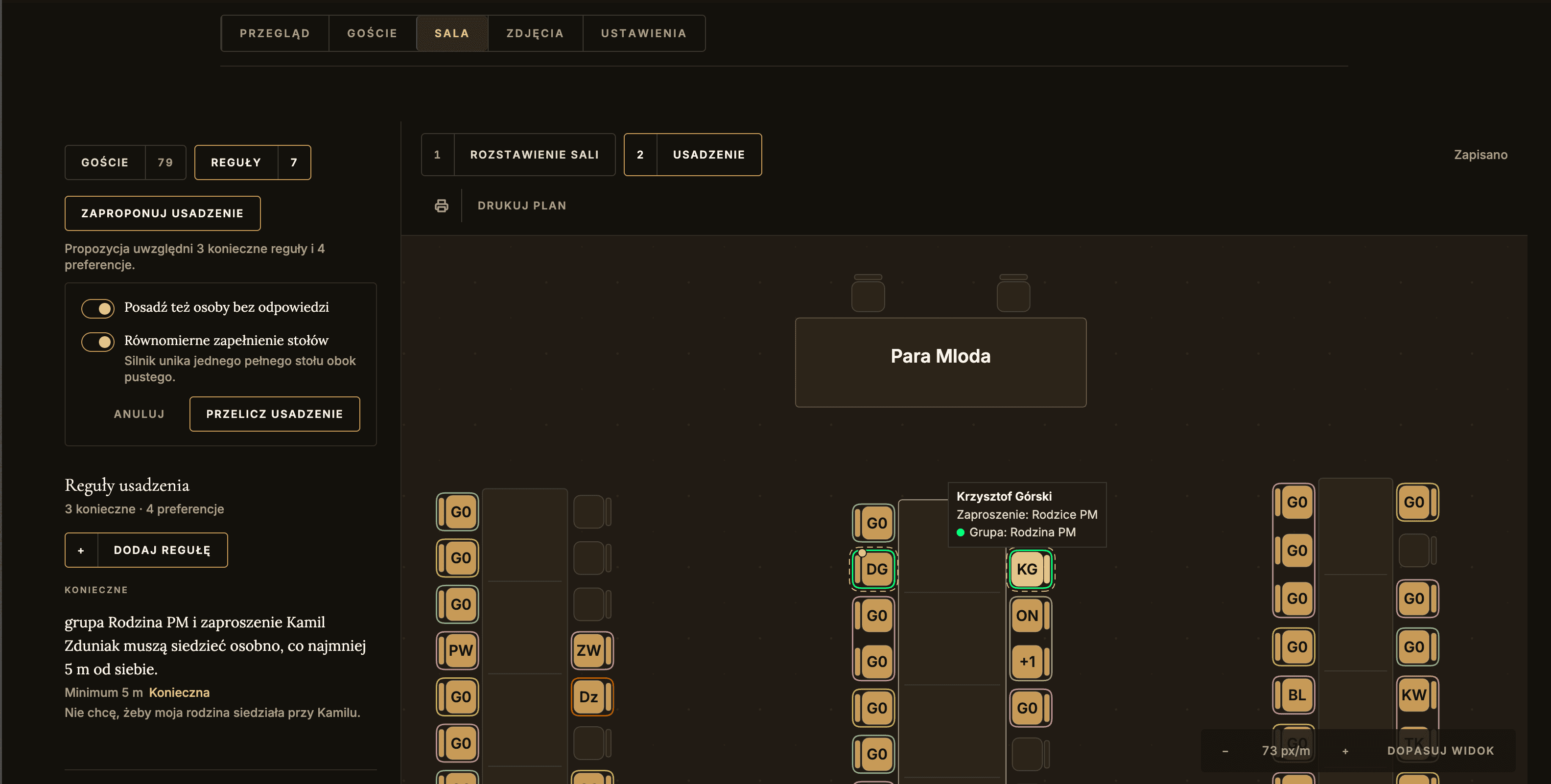
“I don’t want Kamil sitting next to his ex.”
Of course. That’s a seating rule too.
Some together, some apart. Write down what matters to you — gorzko will suggest the seats. You know the people. We’ll help you arrange the tables.
Print and hand-over
Guest album
Guests scan the code and add photos and videos in the browser. No app to install, and no hunting for pictures across a dozen group chats after the wedding.
For the big day
The album is not in any public directory. Treat the QR code and the manual code like an invitation.
Phone numbers, answers and diet information are not visible to other guests.
You can hide any item, and its author can delete their own moment.
Guests see the progress and can retry a file if the venue’s internet lets them down.
Price
You don’t buy a plan blind. You lay out your real wedding and switch on the full version only when you want to.
12 September 2026 · Folwark pod Dębami
Guest list, RSVP, room, seating and print. An album of up to 10 files for 7 days.
Activate it
whenever you like
No subscription. No retyping. Ready even at the last minute.
FAQ
Straight answers about the planner, RSVP and the album.
One wedding brings together the guest list, RSVP, the room plan, seating, printing the table plan and place cards, and a shared album of photos and videos.
The whole planner: guest list, RSVP, room, seating and print. The demo lasts 7 days and the album takes up to 10 files. One account can have one active demo at a time.
No. You activate the wedding you used in the demo. The guest list, RSVP answers, room and seating stay where they are.
Paste a table copied from Excel, Google Sheets or a CSV or TSV file. Before saving you see a preview and can correct what was recognised. You don’t upload an .xlsx file.
Every invitation has its own link, which you send to your guests however you like. Each person answers separately and can add a diet, the name of a plus-one and a message. gorzko does not send invitations or RSVP reminders — neither by text message nor by e-mail.
No. The engine takes your saved rules into account and prepares a proposal. It shows the trade-offs and anyone left without a seat before you apply it. You can fine-tune the exact order of seats by hand.
On a phone you can comfortably check the guest list and the seating. Drawing the full room and setting its shape is meant for a larger screen.
Straight from the browser you can prepare the table plan, the guest list and place cards with personal QR codes. It is a print preview, not a PDF generator.
No. RSVP and the album open in the phone’s browser.
The album is not listed in any public directory. Anyone with the wedding’s code can still start joining, so treat the QR code and the manual code like an invitation and share them only with your guests.
If you’d like to ask
Leave your address. We’ll answer your question and help you get off to a good start.